
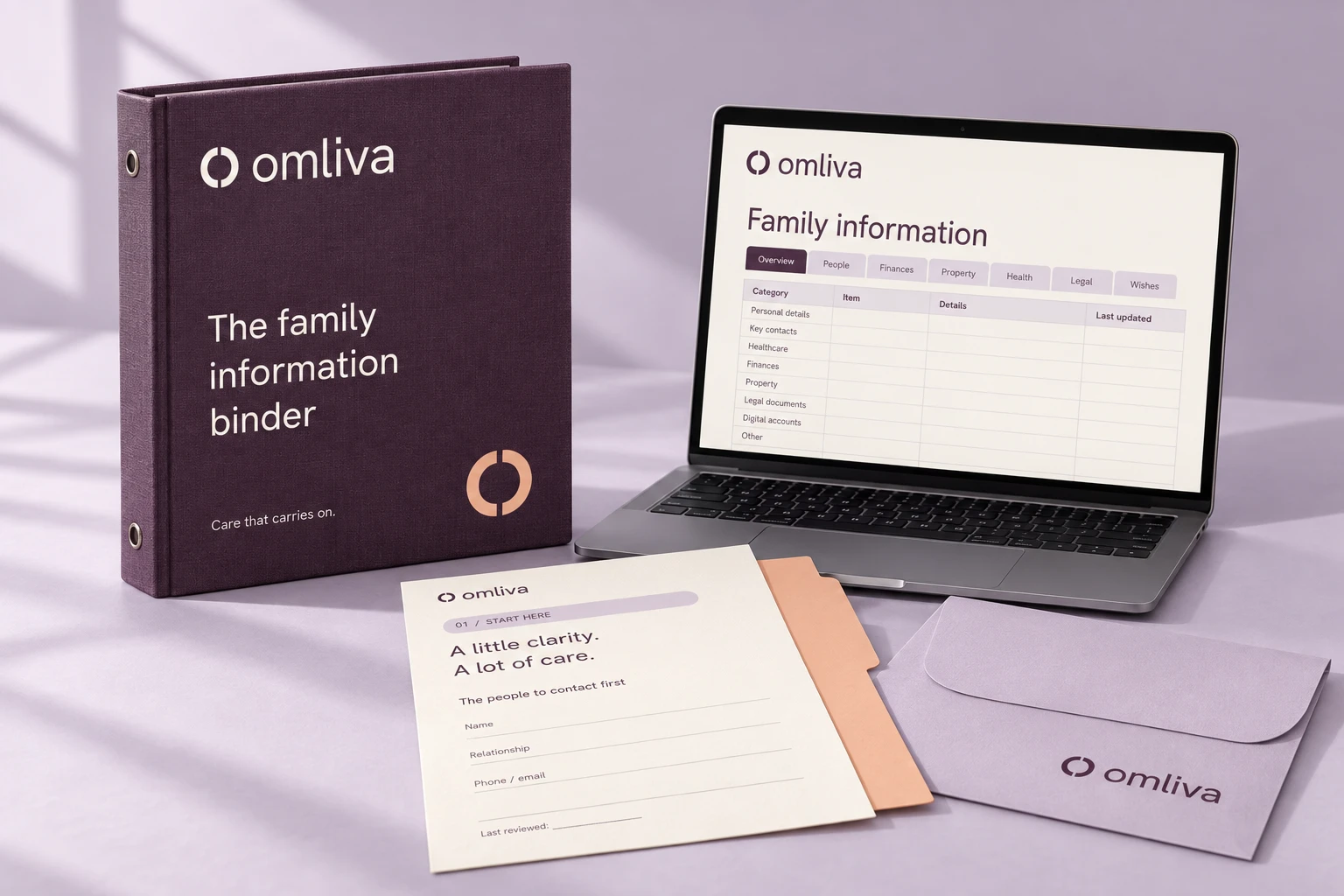
The estate planning organizer that writes your family's guide for you.
Answer guided questions in short sessions. Omliva writes the guide your family will need if something happens to you, and prepares 21 named folders in your own Google Drive or Dropbox. Who to call, where the will is, what auto-pays, who has the key.
Exclusive launch offer: one payment, lifetime access
Covers your household. No subscription, no renewal, no yearly charge. Ever.
$25014997250once
Regular price $250, so you save 101153 and never pay again. Your offer ends in 24:00:00.
Your launch-offer window has ended. The regular price of $250 applies, with the same lifetime access and 30-day guarantee.
- The guided walkthrough: four Essentials sessions, then 17 optional ones
- Your family guide as a large-type PDF, plus an editable Word copy
- 21 named folders prepared in your own Google Drive or Dropbox
- The handoff step, so your family can actually get in
- A first-week checklist written from your answers
- Lifetime access and updates: no renewal, ever
- 100% money-back guarantee for 30 days
- Two adults in one account, plus helping-a-parent mode
 Secure checkout
 Google Drive
Not a legal service. Omliva records where your will, trust and directives are and who prepared them. It does not create legal documents or give legal advice.
Everything included
- The guided walkthrough: four Essentials sessions first (who to call, where the will is, home and pets, the bills that auto-pay), then 17 optional sessions on money, insurance, property, digital life, health wishes and after-death arrangements. Stop and come back whenever you like.
- Your family guide as a large-type PDF with a one-page Start-here sheet on top.
- An editable Word copy (.docx) saved next to the PDF in your own storage.
- 21 named folders in your own Google Drive or Dropbox, each with a note on what belongs in it, what to scan and where to find it, plus a read-me-first file and a one-page folder index.
- The handoff step: folder shared with at least one named person, your provider's inactive-account option set, a printed Start-here page located.
- A first-week checklist built from your answers: who to call, which accounts to notify, what keeps auto-paying.
- Updates for as long as your account exists, a yearly check-in in your account and prompts after life events.
- Your household in one account: a guide for you and one for your partner, plus a helping-a-parent mode where an adult child types and the parent approves.
What is not included
- A will, trust, power of attorney, health care directive or any other legal document.
- Legal advice, or a lawyer. An attorney makes an estate plan; your guide records where it is.
- Notarization, witnessing or filing of any document.
- Financial, tax, insurance or medical advice.
- Storage of your documents by Omliva. Your files live in your own Google Drive or Dropbox.
- Anything printed or mailed. For a paper copy, print the PDF yourself; it is laid out in large type for exactly that.
Where your information lives
Two different things live in two different places. Your documents (scans of the will, policies, deeds) live in your own Google Drive or Dropbox; Omliva prepares the folders and never holds the files. Your answers (contacts, locations, wishes) are held by Omliva in encrypted storage so it can build and update your guide. Omliva never asks for passwords, PINs or full account numbers, and you can ask us to delete your answers at any time.
How delivery works
- An email with your login arrives right after payment.
- The walkthrough opens in your browser, on any device.
- Your PDF is ready to download after your first session, and updates as you go.
- Connect your Google Drive or Dropbox and the folders appear in your own account. In the handoff step you share the folder with the person you name, and Omliva records who and when on the last page of your guide.
See it before you buy
Omliva publishes on



Works with
Your family's first week depends on what you wrote down.
32%
of U.S. adults have a will1
31%
have a living will or advance directive1
$17bn
in lost life insurance benefits found by one free locator2
68%
of sibling money disputes are about their parents3
1. Pew Research Center, Experiences with estate planning and discussing end-of-life preferences (November 2025). 2. NAIC, Life Insurance Policy Locator matches consumers with more than $16 billion: 780,000 matches totaling $16,991,229,586 through July 31, 2026, most of it because nobody had written the policy down where family could find it. 3. AARP, 6 Reasons Adult Siblings Fight, usually over how an inheritance is divided. All checked September 21, 2026.
A will says who inherits the house. It does not say who feeds the dog tonight, which bank, which lawyer, whether the will in the drawer is the signed one, which bills come out of which account on the first of the month, or who has the code to the phone that holds the photos. Your family needs all of that in the first week, while they are grieving and the phone keeps ringing. Most people mean to write it down. The list stays in their head.
Four short sessions, and your family has a guide they can follow.
Omliva asks the questions in order, starting with the four that matter most. About an hour, and you have a guide worth handing over.
Who to call
First and backup contact, immediate care, where the papers are
Will and key papers
Document type, original or copy, location and who can retrieve it
Home and pets
The urgent task, the key holder, home instructions and help
Bills that auto-pay
Provider, payment method, source account and where the bill lives
After the Essentials, 17 optional sessions add depth whenever you want it: money, insurance, property, digital life, health wishes and after-death arrangements. The handoff step comes last and is required before your guide is marked ready: folder shared with a named person, inactive-account option set, printed Start-here page located.
What your family gets
Four things they will have on day one.
Who to call.
The Start-here page names the first call and the backup, with numbers and their relationship to you. Printed and kept where the family can find it.
Where everything is.
Which firm holds the will and who may retrieve it. Which bank, which insurer, which drawer. The guide points; the folders in your own Drive hold the scans.
What keeps auto-paying.
Every automatic payment with the provider, how it is paid and which account it draws from, and a first-week checklist of what to stop and whom to notify.
A way in.
Three routes to the folder that do not depend on your password or on Omliva: a named person it is shared with, your provider's inactive-account option, and the printed page.
What every account includes.
1
Start-here page
The first call, where the will is, the task at home that cannot wait.
4
Essentials sessions
About an hour in total. Then the guide is worth handing over.
21
named folders
Prepared in your own Google Drive or Dropbox.
2
adults per account
Plus helping-a-parent mode. One payment.
Product facts. Every account gets the same four things, whatever you pay.
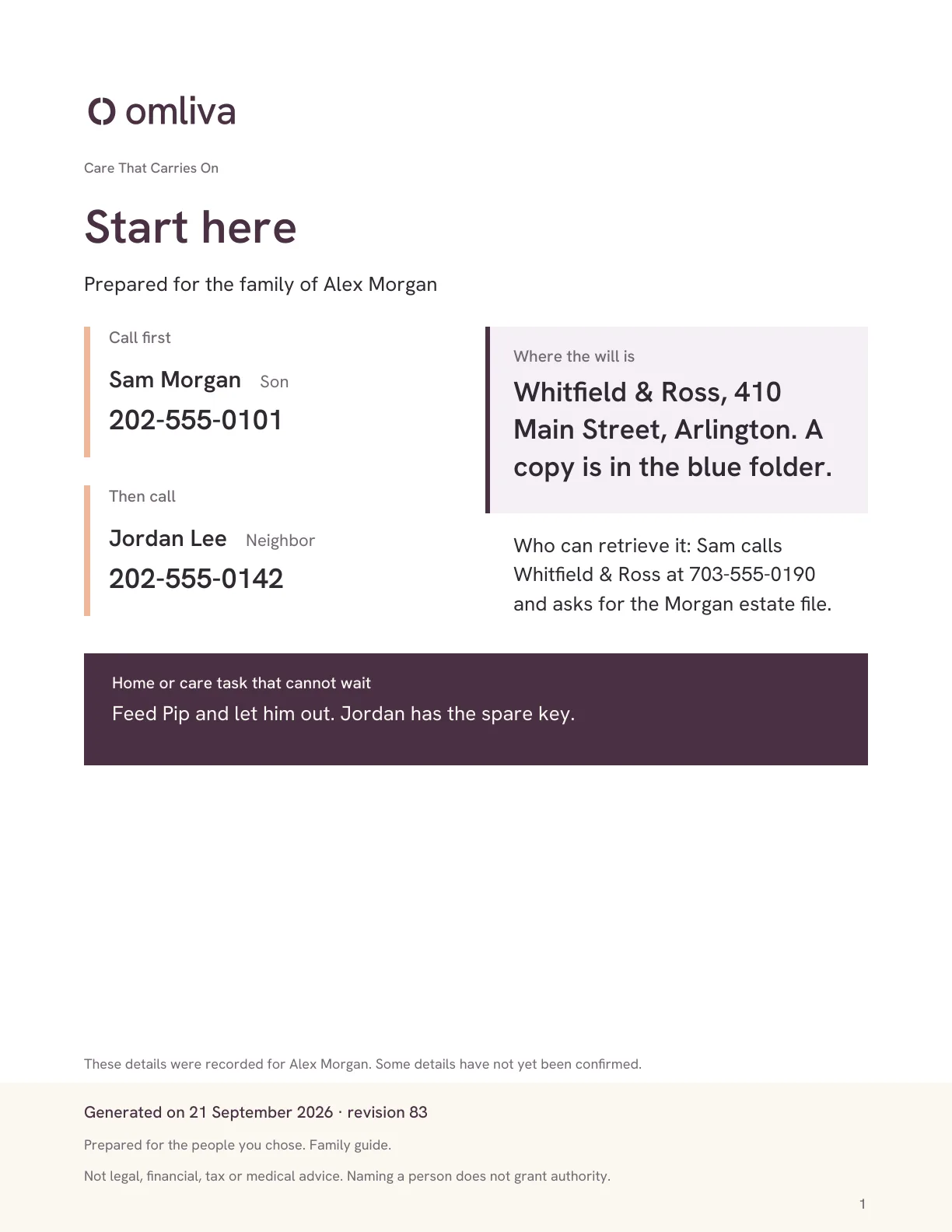
Sample
The first page your family would read.
This is the Start-here sheet. It answers the three questions that come before everything else: who do we call, where is the will, and what at home cannot wait until tomorrow.
- Large type, on purpose. It is read by someone upset, in a hurry, possibly older, possibly on a phone.
- Names and numbers, not instructions to go and look for names and numbers.
- The date it was generated and the revision, so nobody wonders whether it is current.
- Nothing that grants authority and nothing that pretends to. Naming a person does not make them an executor, and the page says so.
Standards you can check.
Omliva is new and has no customer reviews to show yet, so here is what can be verified instead: every number on this site, every guide, and where your information does and does not go. Read the editorial policy.
94
free guides
Written for the moments this is for, from what to do when someone dies to how to talk to a parent. Read them.
1,785
sources cited
Every number carries a source you can open: government, court and agency pages, plus AARP, Pew, NAIC and the like.
0
documents held by us
Your files stay in your own Google Drive or Dropbox. Your answers sit in encrypted storage and are deleted when you ask.

Your documents never move in with us.
Most organizers ask you to upload your will, your deeds and your policies into their vault, and then your family depends on that company existing, and on someone remembering the login. Omliva does the opposite. It prepares 21 named folders inside the Google Drive or Dropbox you already own, each with a note on what to scan and where to find it. Your files stay in storage you can open without us, share with your provider's own sharing, and keep if you ever stop using Omliva. Omliva holds only the answers you type, in encrypted storage, never passwords or full account numbers, and deletes them when you ask.

One evening. Then a few minutes whenever life changes.
The four Essentials sessions take about an hour, and you can stop and come back. After that, Omliva is something you touch when life does: a new bank, a move, a grandchild, a death in the family. Change the answer, press Generate, and the guide is rewritten. Your account shows a yearly check-in and a prompt after life events so it does not drift out of date. Missing a year does not undo anything; the guide simply waits.
What to expect
From payment to a guide your family can use.
Right after payment
Your login arrives
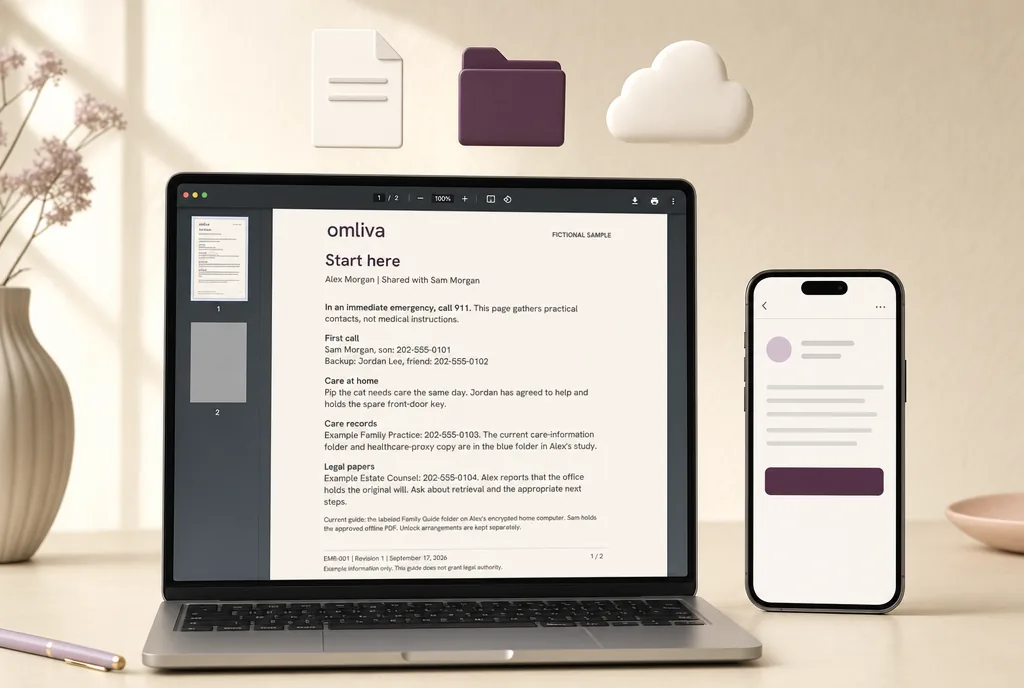
An email with your login. The walkthrough opens in your browser on any device, with fictional examples beside every question.
Your first evening
The Essentials
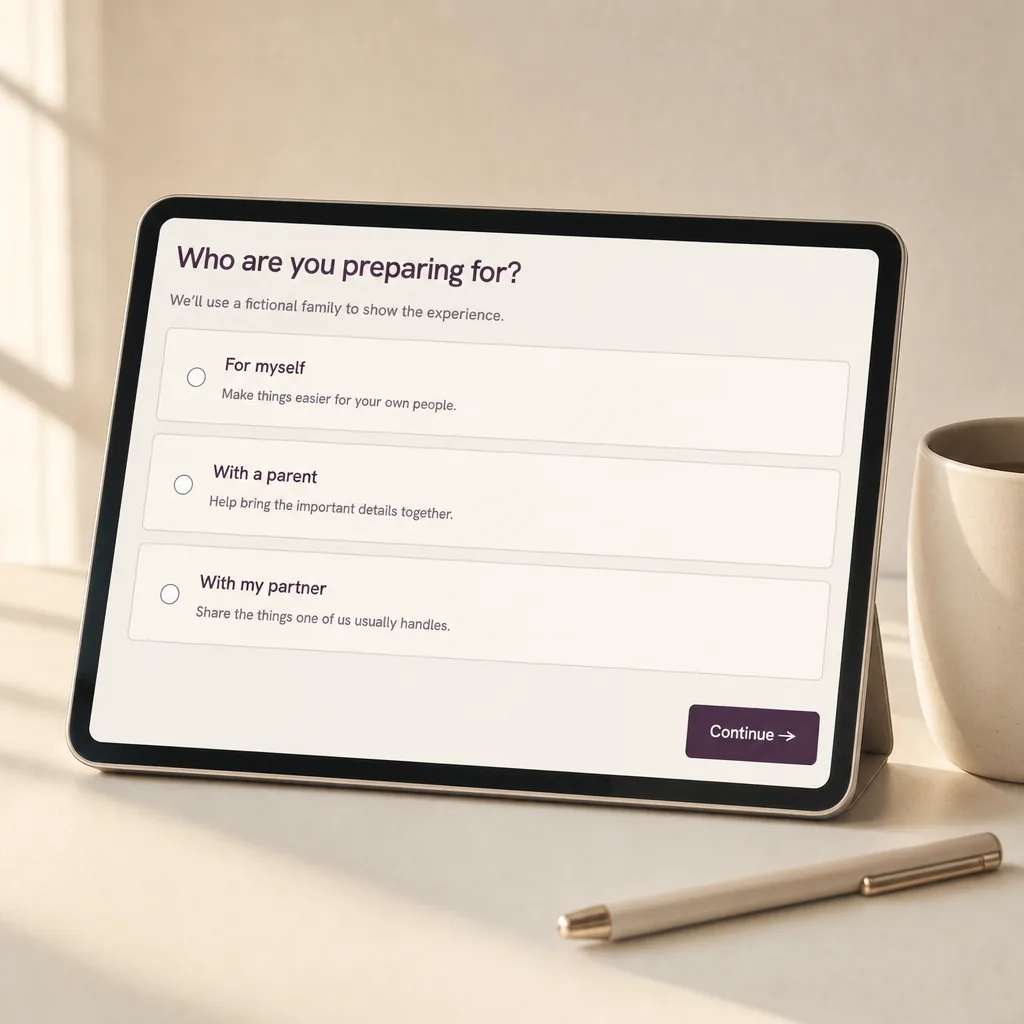
Who to call, where the will is, home and pets, the bills that auto-pay. Your PDF and its Start-here page are ready to download after the first session.
Your first week
Folders and handoff
Connect your Google Drive or Dropbox and the 21 folders appear in your own account. Share the folder with the person you name, set the inactive-account option, print the Start-here page. Your guide is marked ready.
Every year after
A check-in, not a chore

A yearly check-in in your account and a prompt after life events. Change an answer and generate the guide again. Add the optional sessions whenever you want more depth.
How Omliva compares with the alternatives.
| Feature |  Omliva Omliva | Paper binder kit | Free checklist | Will-making site |
|---|---|---|---|---|
| Asks the questions, in order | ✓ | ✕ | ✕ | ✓ |
| Writes pages a stranger can follow | ✓ | ✕ | ✕ | ✕ |
| Start-here page for the first call | ✓ | some | ✕ | ✕ |
| Rewritten from your answers when life changes | ✓ | ✕ | ✕ | some |
| Documents stay in your own storage | ✓ | ✓ | ✓ | ✕ |
| Handoff step built in | ✓ | ✕ | ✕ | ✕ |
| Covers the household in one price | ✓ | ✕ | ✓ | ✕ |
| One payment, no subscription | ✓ | ✓ | ✓ | varies |
| Creates legal documents | ✕ | ✕ | ✕ | ✓ |
Generic categories, described as they commonly work; individual products vary. Omliva does not create legal documents on purpose: a will-making site or an attorney does that, and Omliva is the layer around it. Dated, named comparisons are on the comparison pages.
Questions people ask before they buy.
Is anything mailed to me?
No. Omliva is entirely digital: a walkthrough in your browser, a PDF you download, and folders set up in your own Google Drive or Dropbox. If you would like a paper copy, print the PDF yourself; it is laid out in large type for exactly that.
Does Omliva replace a will or an estate plan?
No. Omliva organizes the practical information around your estate plan: where the documents are, who to call, what to do first. It does not create legal documents and it does not give legal advice. Your guide has a place to record which attorney prepared your documents and where the signed originals are.
What if my family cannot open my Google Drive or Dropbox?
That is what the handoff step is for, and the walkthrough does not treat it as optional. Before your guide is marked ready, you share the folder with at least one named person using Google Drive's or Dropbox's own sharing, you set up your provider's inactive-account option (Google's Inactive Account Manager, for example), and you record where a printed Start-here page is kept. Three ways in, none of which depend on your password or on Omliva.
What happens if Omliva closes down?
Your family loses nothing. Your documents are in your own storage, your PDF is downloaded, and the editable Word copy sits next to it, so the guide can be kept current without us. We built it that way on purpose: no company should promise to outlive its customers, so the product is designed not to need to.
Where is my information, and how private is it?
Two different things live in two different places. Your documents (scans of the will, policies, deeds) live in your own Google Drive or Dropbox; Omliva prepares the folders and never holds the files. Your answers (contacts, locations, wishes) are held by Omliva in encrypted storage so it can build and update your guide. Omliva never asks for passwords, PINs or full account numbers, and you can ask us to delete your answers at any time.
How long does it take?
The four Essentials sessions (who to call, where the will is, home and pets, the bills that auto-pay) take about an hour, and at that point your guide is already worth handing over. The 17 optional sessions can be done in any order, on any evening, and you can stop and come back whenever you like.
Can I do this with a parent?
Yes. Helping-a-parent mode lets an adult child type while the parent reviews and approves every answer, and the parent chooses what to include and who to share it with. Most families start with contacts and document locations and add the rest over time.
What does “updates for as long as your account exists” mean?
Exactly that. Change a contact, a bank or a wish in your account and generate the guide again; the folders stay where they are. There is no renewal and no yearly charge. Your account shows a yearly check-in and a prompt after life events so the guide does not drift out of date.
Is this a subscription?
No. One payment gives you lifetime access: your account, the walkthrough, guide generation and updates for as long as the Omliva website is online and the product is active, with no renewal and no yearly charge. And because the PDF, the editable Word copy and the folders sit in your own Google Drive or Dropbox, what you have already saved outlives any service, including ours.
What does lifetime access mean, exactly?
Lifetime means the lifetime of the Omliva service: for as long as the Omliva website is online and the product is active, you can sign in, change answers and generate your guide again at no charge. If Omliva were ever discontinued, you would get at least 30 days' notice to download everything and request an export of your answers, and everything already in your own storage stays yours. The full definition is in the terms.
Is there a guarantee?
Yes. Every purchase has a 100% money-back guarantee for 30 days from payment. Email [email protected] from the address you paid with and we refund the full amount to your original payment method, no reason needed. A refund ends access to the account; anything already saved in your own Google Drive or Dropbox stays yours.
Why is $250 crossed out, and what is the countdown?
$250 is the regular price of Omliva. The launch offer on this page is reserved for you for 24 hours from your first visit; the countdown shows how long is left. When it ends, the page shows the regular price. Whatever you pay is paid once, and nothing is charged again later.
Can I buy it today?
Yes. The button on this page takes you to a secure Stripe checkout, and your sign-in link arrives by email right after payment. The walkthrough opens in your browser on any device. The sample page above shows what the guide looks like.

Ask us anything, before or after you buy.
Ask before you buy, ask while you are doing the walkthrough, or tell us what we got wrong on a page and we will fix it and say so. Every message gets a plain-English answer from the Omliva team.
Our promise
One payment, lifetime access, and 30 days to change your mind.
- Your documents and the editable guide live in your own Google Drive or Dropbox. Stop using Omliva and you keep all of it.
- Lifetime access: one payment, and your account, the walkthrough and every update are yours for as long as Omliva is online and the product is active. No subscription, no renewal, no yearly charge, nothing to cancel later. What lifetime means, in the terms.
- 100% money-back guarantee: if Omliva is not for you, email us within 30 days and we refund the full amount, no reason needed.
- Your answers are deleted when you ask.
$250 14997250 once. Lifetime access. Covers your household. Offer ends in 24:00:00.
Not a legal service. No will, no lawyer, no notary included. Full list in the offer above and on the pricing page. Terms. Omliva organizes practical information; it does not provide legal, financial, tax or medical advice, create legal documents or grant authority to act.